Article Token-Style Search
Example Overview
This example demonstrates the TomSelectTokenWidget - a single text input that parses key:value tokens against multiple bound autocomplete views, with free-text fallback. It collapses several side-by-side filter dropdowns into one keyboard-friendly bar, keeps filter state URL-canonical and bookmarkable (with chip rehydration on reload), and validates operator counts and ORM coercion server-side. Reach for it on list-page filter bars that otherwise need 3+ sidebar dropdowns plus a search box, or on triage/inbox UIs where power users prefer typing operators.
Visual Examples
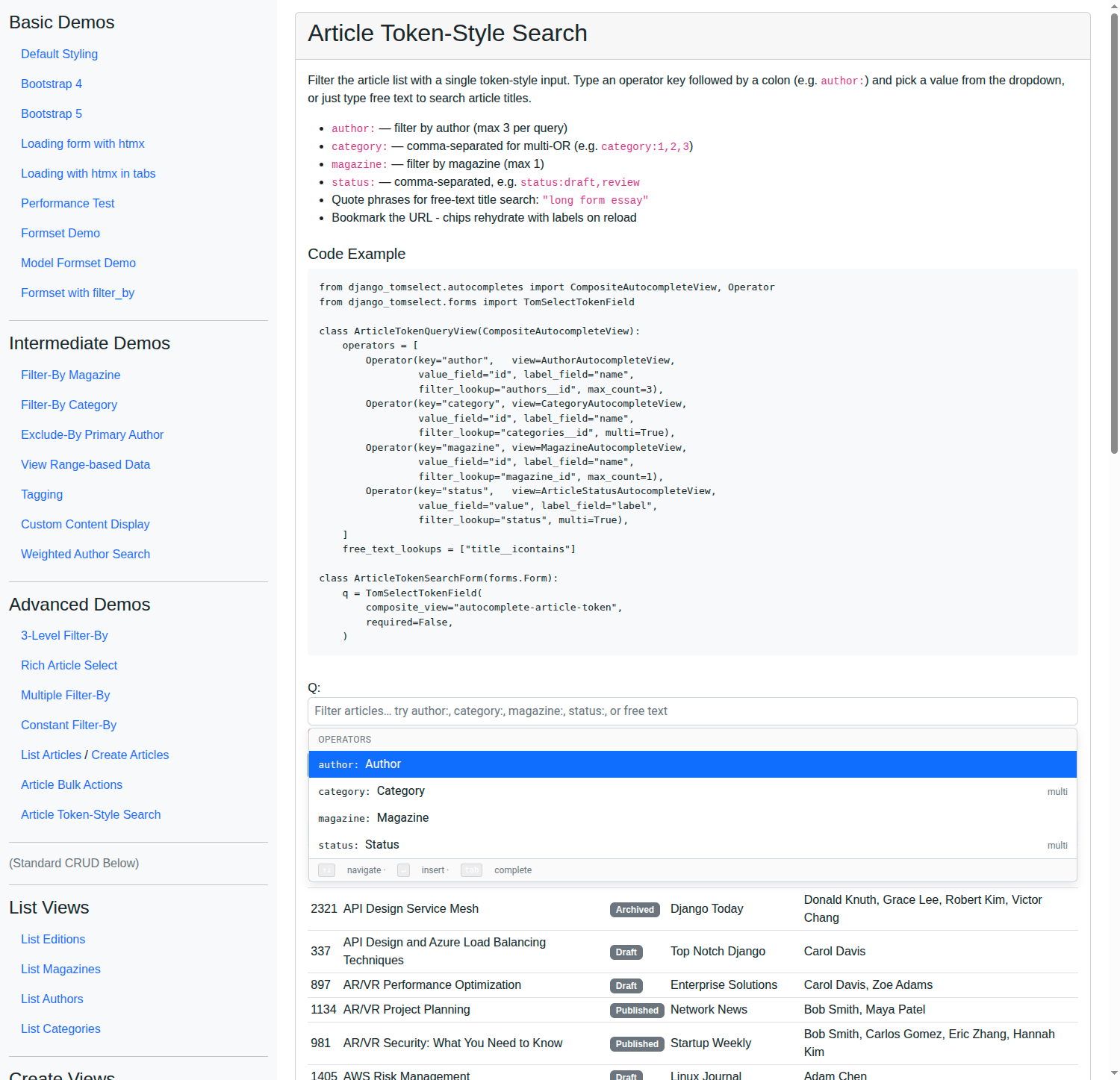
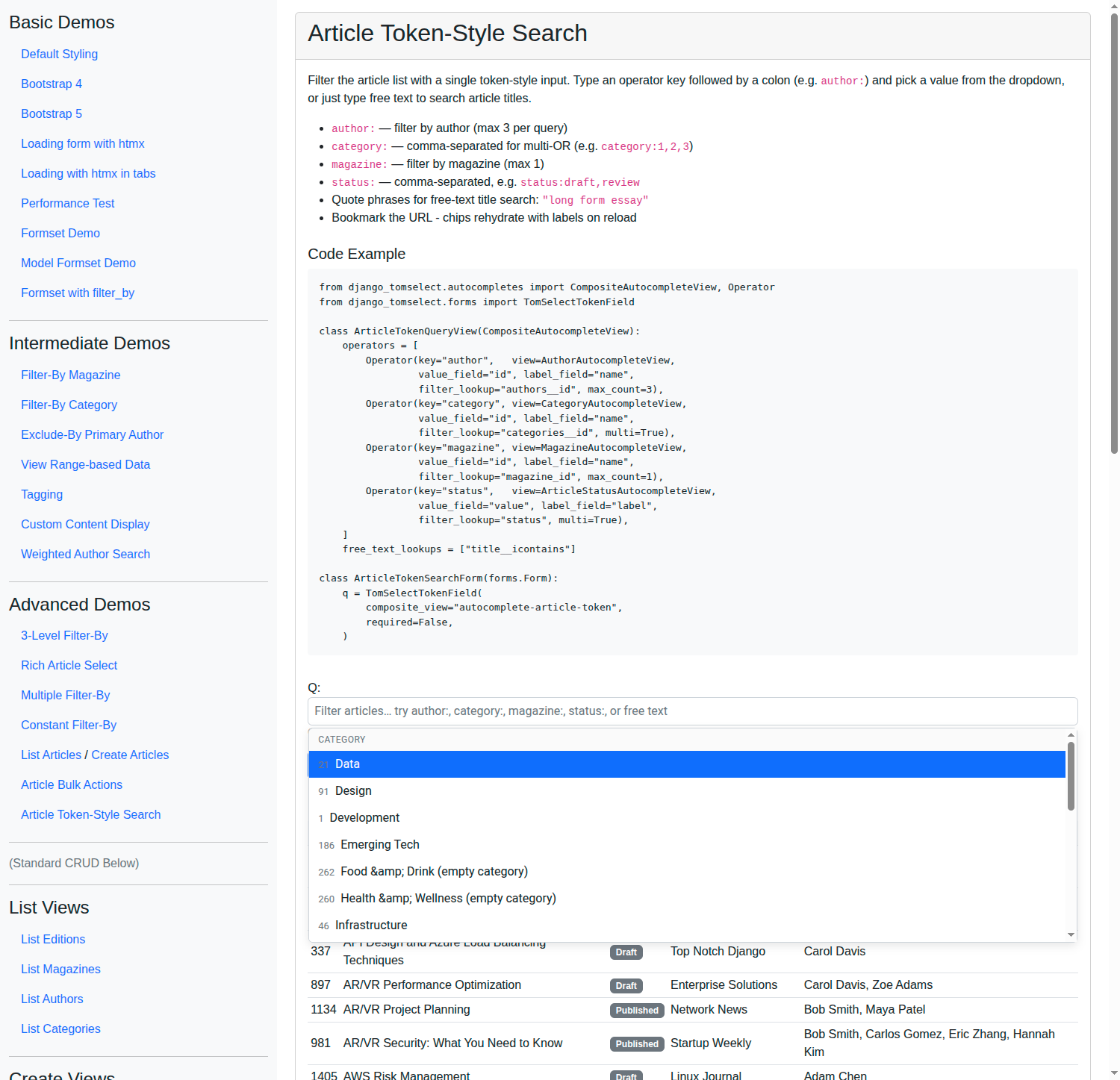
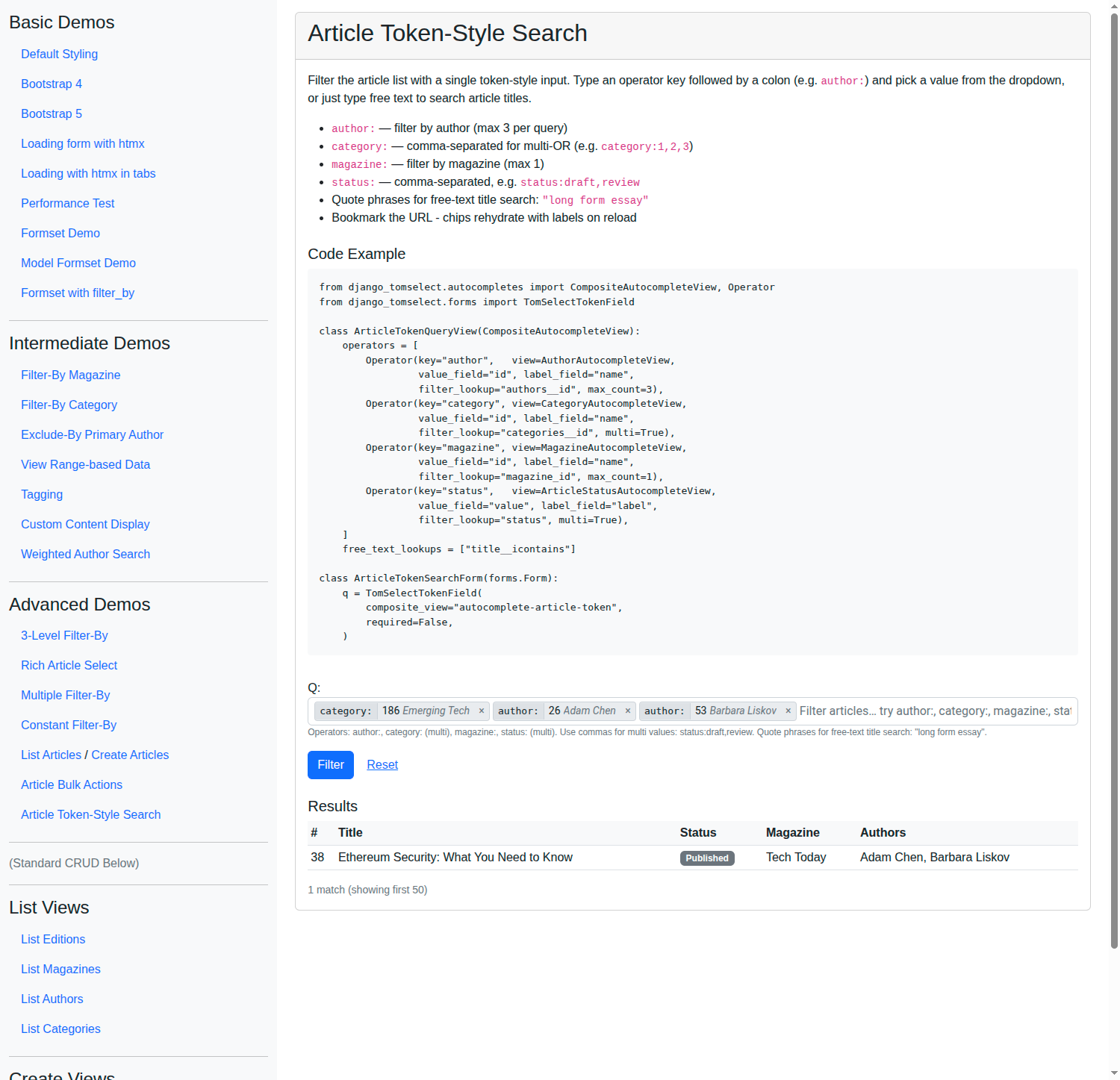
Key Code Segments
Composite Autocomplete View
from django_tomselect.autocompletes import (
    AutocompleteIterablesView,
    AutocompleteModelView,
    CompositeAutocompleteView,
    Operator,
)
from django.utils.translation import gettext_lazy as _


class ArticleTokenQueryView(CompositeAutocompleteView):
    """Token-style article query.

    Each operator declares the JSON keys returned by its bound view
    (``value_field`` / ``label_field``) AND how to filter the parent ``Article``
    queryset (``filter_lookup`` for exact matching, or ``q_translator`` for
    custom Q construction).
    """

    operators = [
        Operator(
            key="author",
            view=AuthorAutocompleteView,
            value_field="id",
            label_field="name",
            filter_lookup="authors__id",  # parent QS lookup (M2M)
            label=_("Author"),
            max_count=3,
        ),
        Operator(
            key="category",
            view=CategoryAutocompleteView,
            value_field="id",
            label_field="name",
            filter_lookup="categories__id",
            label=_("Category"),
            multi=True,  # comma-separated values: category:1,2,3
        ),
        Operator(
            key="magazine",
            view=MagazineAutocompleteView,
            value_field="id",
            label_field="name",
            filter_lookup="magazine_id",
            label=_("Magazine"),
            max_count=1,
        ),
        Operator(
            key="status",
            view=ArticleStatusAutocompleteView,  # iterables view
            value_field="value",
            label_field="label",
            filter_lookup="status",
            label=_("Status"),
            multi=True,
        ),
    ]
    free_text_lookups = ["title__icontains"]
Form
from django_tomselect.forms import TomSelectTokenField


class ArticleTokenSearchForm(forms.Form):
    q = TomSelectTokenField(
        composite_view="autocomplete-article-token",
        required=False,
        allow_free_text=True,
        max_tokens=20,
        widget_kwargs={"placeholder": _(
            "Filter articles… try author:, category:, magazine:, status:, or free text"
        )},
    )
View
from django.core.exceptions import ValidationError
from django_tomselect.query import parse_query


def article_token_search_view(request):
    form = ArticleTokenSearchForm(request.GET or None)
    articles = Article.objects.none()

    if not request.GET:
        articles = Article.objects.all().distinct()[:50]
    elif form.is_valid():
        q = form.cleaned_data.get("q", "") or ""
        if q:
            parsed = parse_query(q, ArticleTokenQueryView)
            try:
                qs = parsed.apply(Article.objects.all())
                articles = qs.distinct()[:50]
            except ValidationError as exc:
                # ORM coercion errors (typed-but-not-selected values for id-based
                # operators) bubble up here. Surface them as field-level errors.
                form.add_error("q", exc)
        else:
            articles = Article.objects.all().distinct()[:50]

    return TemplateResponse(
        request,
        "example/advanced_demos/article_token_search.html",
        {"form": form, "articles": articles},
    )
URL Wiring
path(
    "autocomplete/article-token/",
    autocompletes.ArticleTokenQueryView.as_view(),
    name="autocomplete-article-token",
),
path("article-token-search/", views.article_token_search_view, name="article-token-search"),
Try It
Action |
Result |
|---|---|
Type |
Dropdown shows authors. Select one - chip renders with id and italicized name. |
Type |
Multi-OR - filters articles in any of categories 1, 2, or 3. |
Type |
Iterables-backed multi-OR. |
Type |
Free-text title search; quoted phrase stays a single icontains term. |
Type |
Server returns a clean field-level |
Type |
Field validation rejects with “Unknown operator ‘unknown’.” |
Type 4+ |
Field validation rejects ( |
Bookmark |
Reload - chips rehydrate via |
Permission Caveats
Two limitations the implementation does not automatically solve:
AutocompleteIterablesViewhas nohas_permission()hook. Operators bound to iterables views are public-by-default. The composite view emits a one-timelogger.warningat subclass-registration time. If the iterable is sensitive, gate access at the form/view layer or extend the iterables view yourself.The live suggestion dropdown is not object-permission gated row-by-row.
AutocompleteModelView.has_object_permission()is not called byget_queryset()orprepare_results(), so the normal suggestion endpoint returns any row your queryset includes (subject only to queryset-level scoping and dispatch-levelhas_permission()). Overrideget_queryset()on the bound view to scope suggestions per user. Note the resolve/rehydration flow is stricter:CompositeAutocompleteView._resolve_model_view()does callhas_object_permission()on each row before projecting labels (catchingPermissionDenied), so bookmarked chips only rehydrate for rows the user may view.